
Sukanya Samriddhi Yojana Calculator
Plan your daughter’s future with SSY scheme
Projected Investment Returns
Sukanya Samriddhi Yojana (SSY) is essentially the government's thoughtful "secure-their-future" savings scheme designed especially for girls. The concept is straightforward: you open a special account for a girl child (before she turns 10), make deposits over a set period, let the magic of compound interest work its wonders, and then withdraw a tax-free lump sum when the account reaches maturity.
But life isn't just about good intentions—you need concrete figures to make it real. Enter the Sukanya Samriddhi Yojana calculator it takes your details (like deposit amounts, time frame, and interest rate) and spits out a solid projection of what you'll have at the end, helping you prepare for things like education costs, a wedding, or that emergency safety net.
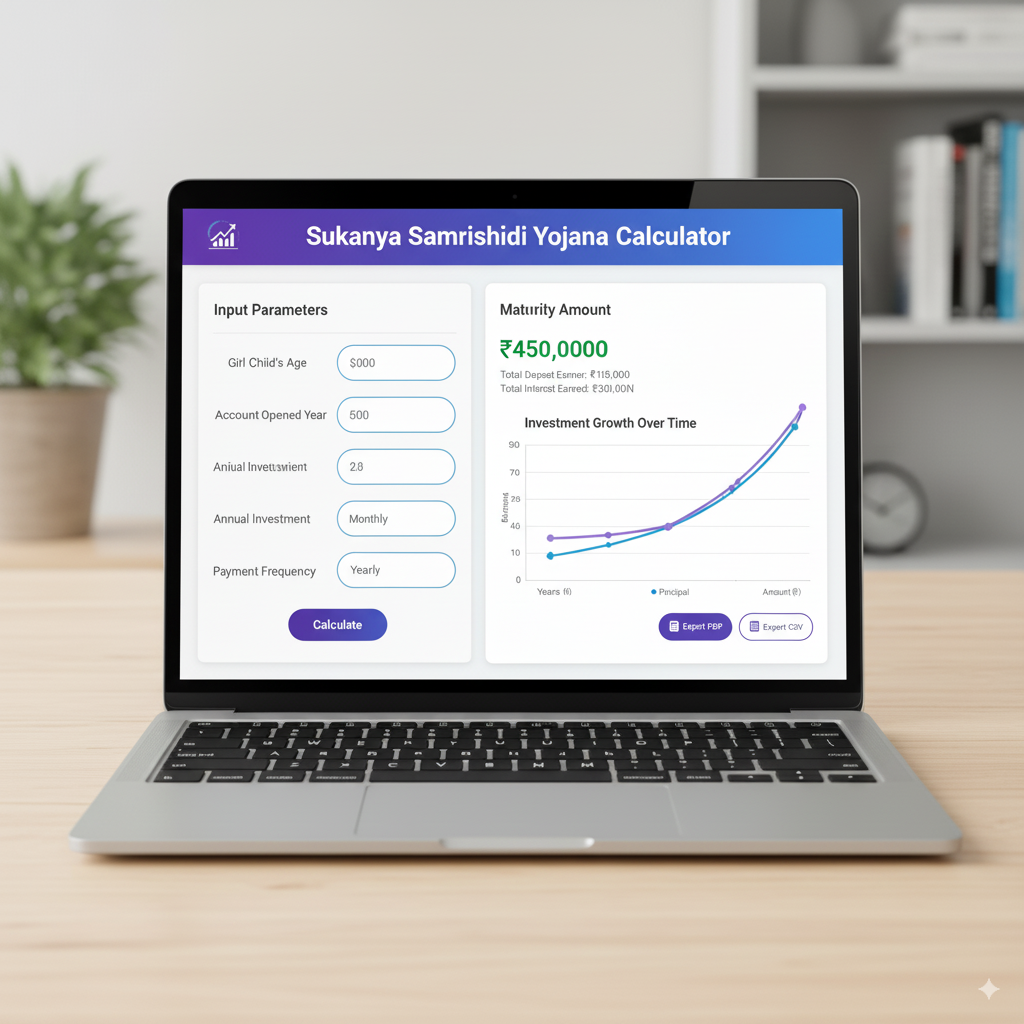
In the sections below, I'll walk you through it all—from the basic rules and interest details to how the calculator functions online, building one in Excel, working with SSY calculator PDFs, running sample scenarios, sharing optimization advice, and wrapping up with an FAQ that hits on all the key search intents you mentioned.
Quick snapshot: the headline facts (so you start grounded)
Sukanya Samriddhi Yojana:
- You can open the account anytime from the girl's birth up until she reaches 10 years old.
- The account matures 21 years after opening. You can make deposits during the first 14 years; after that, interest keeps building until the full 21 years are up.
- The interest rate gets set by the government and checked every quarter—in 2025, it's sitting at around 8.2% per year (always double-check the latest quarter for your calculations).
- On deposits: there's a small minimum each year, and you can put in up to ₹1.5 lakh annually to snag tax benefits under Section 80C; plus, the interest and final payout are completely tax-free under current rules.
(These are the core details your calculator needs to capture. Just remember to verify the quarterly interest update before locking in any final figures on a live tool.)
Why use a Sukanya Samriddhi Yojana calculator
Nothing beats seeing actual numbers to back up those big-picture promises. A Sukanya Samriddhi Yojana calculator does just that—it:
- Projects the final corpus based on your annual or monthly deposits.
- Splits out what you've put in versus the interest earned.
- Lets you adjust deposit sizes or starting points to aim for a specific goal amount.
- Keeps you from fumbling through manual compounding errors.
Plenty of calculators from banks, investment sites, and finance blogs offer that instant crunch; the smarter ones even include a year-by-year breakdown so you can watch the growth unfold step by step.
How the Sukanya Samriddhi Yojana Calculator works (the math behind the tool)
At its heart, SSY relies on compound interest with annual compounding (meaning interest gets added once a year). Most online calculators follow this straightforward process:
- They take your annual deposit (or convert a monthly one to match).
- They apply the latest government-set annual interest rate (updated quarterly).
- They compound the deposits made across up to 14 years, while letting interest keep growing on everything until the full 21 years from opening.
- They add up the total principal plus all that compounded interest to show you the maturity value.
If you're depositing the same amount each year, the math often involves running the compound formula separately for each year's contribution, then totaling their future values for the big-picture corpus. Online tools tuck all that away behind a user-friendly interface, so you don't have to wrestle with the exponents yourself.
How to use Sukanya Samriddhi Yojana Calculator Online (step-by-step)
Leading banks and finance websites keep the inputs pretty consistent and simple:
- Input your yearly deposit (or the monthly version if that's how you prefer).
- Add the girl's age when the account opens, or just the starting year.
- Plug in the current interest rate (lots of calculators auto-load the official one).
- Hit the Calculate button.
What you'll typically see coming back:
- The total you've invested (all those yearly deposits added up).
- The full interest that's built up (with compounding factored in).
- The maturity amount and when it hits (the year).
- Fancier calculators might toss in a schedule-like view of balances year by year.
Handy tip: If the tool allows tweaking the interest rate, play around with "what-if" situations—like if rates dip by 1% or climb higher? It really helps temper your expectations with some real-world flexibility.
(This setup is what you'll find across various bank tools and finance hubs—they stick to it because it's the smooth, expected flow for most folks.)
Using a Sukanya Samriddhi Yojana calculator in Excel
If you like having total control or want to weave SSY projections into your bigger financial spreadsheet, whipping up an Excel version is straightforward and super adaptable. Here's a no-fuss, step-by-step way to set it up (just formulas, no coding needed):
- Set up these columns:
- Year number (going from 1 to 21)
- Opening balance at the start of the year
- Deposit added that year (only if it's within the first 14 years)
- Interest earned during the year
- Closing balance at year's end
- The core flow:
- Kick off Year 1's opening balance at 0 (or your first deposit if you prefer).
- For Year n, the deposit is your chosen yearly amount for the first 14 rows; set it to 0 afterward.
- Interest comes from (opening balance + deposit) multiplied by (rate divided by 100).
- Closing balance is opening + deposit + interest.
- The next year's opening is just the prior closing balance.
- Excel smarts:
- Pin down the interest rate and deposit cells with absolute references ($ signs) so copying formulas stays clean.
- Throw in IF functions to cut off deposits after Year 14 automatically.
- By Year 21, that closing balance is your full maturity pot.
- Nice extra: Whip up a quick chart tracking the balance curve over 21 years to really see the compounding in action.
You can grab ready-made templates from various finance sites; they're great for offline use or tweaking into printable reports. These often bake in options for testing different rates or deposit ramps.
Sukanya Samriddhi Yojana Calculator PDF — static schedules and printable planners
Certain websites offer downloadable PDFs with pre-crunch numbers for popular deposit levels, like "what if you go ₹1,000 yearly" or "₹10,000 yearly," complete with maturity figures at the current rates. These PDFs shine for:
- Offline reference (handy at bank counters or community spots).
- Quick prints to share during family chats.
- Fast lookups for standard setups without firing up an interactive tool.
Keep in mind, though: with quarterly rate reviews, a PDF is just a moment-in-time view—if rates shift, you'll need an updated version or a note saying which quarter it covers. Banks and blogs usually add a heads-up like "this is indicative and tied to the government's latest rates."
Sample scenarios — put your future in numbers (real-ish examples)
These are ballpark illustrations—run your own details through a calculator for spot-on results.
Scenario A — The cautious saver:
- Open the account right at birth.
- Put in ₹2,000 each year over 14 years.
- At 8.2% interest per year.
Result: By year 21, you'll have a corpus that's several multiples of what you put in, thanks to interest piling up on those early deposits.
Scenario B — Pushing for big goals (like education funding):
- Start when she's 2 years old.
- Deposit ₹12,500 monthly (hitting the ₹1.5 lakh yearly max for 80C perks) for 14 years.
- At 8.2% interest per year.
Result: This builds a hefty sum that could tackle higher ed or other milestone costs.
Scenario C — The starter saver:
- Go with ₹250 monthly (the scheme's low entry point) for 14 years.
- At 8.2% interest per year.
Result: Even small, steady inputs grow into something meaningful, fueled by compounding. Lots of parents kick off modest and scale up as things stabilize.
(Your exact figures will hinge on the quarter's rate—always plug into a fresh calculator.)
Partial withdrawals, premature closure and maturity — the rules you need to model into your calculator
A solid SSY calculator (or your Excel setup) ought to mirror the real scheme rules:
- Deposits run for 14 years from opening; interest keeps accruing right up to the 21-year mark.
- You can pull out partially once she hits 18, but only for set reasons (like school or wedding) with the right paperwork—often capped at a percentage.
- Early closure is okay in special cases (say, moving overseas, if the account holder passes, or other hardships), but it follows strict guidelines.
- At full maturity (21 years), she gets the whole shebang—balance plus interest.
These quirks shape your planning—if college looms at 18, factor in a withdrawal option so you don't bank too hard on the full year-21 haul.
(Rules can tweak over time—always peek at the newest notices or bank updates when nailing down your calcs.)
Tax benefits and why they matter to your projections
SSY packs a double punch for anyone mindful of taxes:
- Your deposits count toward deductions under Section 80C (up to the cap).
- The interest that builds and the final maturity amount stay tax-free, per today's rules.
When you're projecting, that tax-free status makes Sukanya Samriddhi Yojana Calculator punch above its weight compared to taxable options with similar headline rates—your calculator should flag it as EEE (exempt on investment, exempt on growth, exempt on withdrawal) in Indian tax terms, which really juices the after-tax edge.
Strategy: how to choose yearly deposit amounts and start year
- Jump in early: The sooner you open, the more years for compounding to stretch your money.
- Front-load if you can: Bigger deposits upfront give interest more base to work on over time.
- Work backward from goals: Got a target sum by year 21? Use the calculator to reverse-engineer the needed yearly deposit—beats wild guesses every time.
- Plan for ramps: If your earnings are climbing, build in step-up deposits and test them in Excel or the tool.
Common mistakes people make (and how an Sukanya Samriddhi Yojana Calculator saves you)
- Sticking with old rates: Printed guides or PDFs go stale quick; a live calculator pulls the fresh one.
- Overlooking the deposit cutoff: Only 14 years to add money—after that, it's growth-only mode.
- Mixing monthly and yearly: Make sure the tool tallies monthly adds into yearly totals if that's the input style.
- Skipping withdrawal realities: If 18-year expenses are in play, model a pullout to keep your year-21 dreams grounded.
How to embed a Sukanya Samriddhi Yojana calculator on your website (UX & accuracy tips)
Running a finance blog or bank site and itching to add an Sukanya Samriddhi Yojana Calculator? Here's how to make it user-friendly and spot-on:
- Pre-load the latest government rate, but note the quarter and let folks override for their own tests.
- Keep inputs straightforward: yearly deposit, start year, child's age, and frequency (yearly or monthly).
- Roll out clear outputs: total invested, interest total, maturity figure, and year.
- Toss in a download button for Excel or PDF breakdowns for the offline crowd.
- Sprinkle in friendly notes like: "These are estimates—real results hinge on government rates and steady deposits."
Banks and investment platforms nail this already, blending calculators with handy tables for deeper dives.
Where to find Excel templates and PDF calculators (and how to verify them)
Tons of trusted finance blogs and advice spots share free SSY Excel files and PDF planners. When picking one:
- Look for editable rate spots marked with the quarter or date.
- Cross-check a test run against a bank tool (like from SBI or HDFC) to confirm the numbers line up.
- Steer clear of locked-rate versions—go for ones that let you play with scenarios.
Common spots include personal finance writers, bank download sections, and roundup sites; they often tag them by year, like "SSY Excel tool for 2025."
UX note: Online calculator copy that converts — what to say to users
When rolling out an SSY calculator, go for warm, approachable wording:
- "Start year" over something stuffy like "investment year."
- "Yearly deposit" with a little nudge on what that means monthly.
- "Maturity year" and "Total interest earned."
Add subtle reminders: "Government sets rates quarterly—this tool uses the latest for a solid estimate."
Testing scenarios: sensitivity analysis you should run
Strong calculators open the door to:
- Rate tweaks: Drop it 0.5% and watch the hit.
- Deposit skips: Simulate missing a year or two to gauge the shortfall.
- Age-18 pulls: Factor in a withdrawal for school and see the year-21 remainder.
These runs build tougher, surprise-proof plans for the family.
Real-life planning checklist (short and practical)
- Get the SSY rolling early—aim for as soon as she's under 10.
- Fire up the calculator to ballpark sums for school or wedding targets.
- Hit at least the minimum yearly deposit, then bump it when you can.
- Hang onto all deposit slips; back it up with an Excel log.
- Refresh the numbers each year if rates shift or your setup changes.
FAQs — Sukanya Samriddhi Yojana Calculator
Final thoughts — planning is more than math
An SSY calculator is that reliable planning sidekick—it transforms vague hopes into actionable digits. But remember, it's a tool, not a crystal ball: rates fluctuate, surprises pop up, and goals evolve. Use it to nail a target, then revisit and tweak your plan yearly to keep it breathing.